PreziousPresentations, beautifully staged
Why Prezious

Meet Prezious

Your story, beautifully staged.

Write what you want to say. Prezious turns it into a paced, cinematic story — and lets you present it right in the browser.

You’re already watching one

This page is a Prezious deck in the Aurora style. Scroll or press Space for the next part. N opens the speaker notes, M the contents.

01 / 02

The problem

Why do so many decks lose the room?

Hours disappear into alignment, fonts and bullet points — and the story still gets lost somewhere around slide 14.

Most tools hand you a blank canvas and a thousand options. Wonderful for designers. Exhausting for everyone who simply has something to say.

01 / 02

The idea

Story in. Show out.

Chapters, slides and the points you want to make, one idea per step. That’s all the input Prezious needs.

Layout, motion, pacing and reveals come from the style, so every slide lands in rhythm with the next.

Fewer options, better defaults

The design decisions are already made — and made well. You spend your time on what you’ll say.

01 / 03

Build

An editor with no learning curve.

Slides, chapters and steps in one calm editor with a live preview beside it. Drag to reorder; everything saves as you go.

Add images, accents and speaker notes. Split each slide into steps, and the preview shows exactly what the audience will see — and when.

Already have slides?

Import a PowerPoint file. Text, speaker notes, images and sections come along; hidden slides stay out.

01 / 03

Build

Nine kinds of slide. One flow.

Opening, divider, concept, question, quote, principle, case study, catalog and media. Say what a slide is — the style knows how to show it.

Chapters give each section its own color, and every point arrives on cue. The storytelling structure is built in.

01 / 02

Style

One story. Many looks.

Aurora

Dark, cinematic and scroll-driven. A glowing orb travels along the journey while content reveals step by step.

Editorial

Light and typographic, like a well-set magazine. Serif headlines, thin rules and calm builds.

Switch whenever you like. Your content stays exactly the same, and each style remembers its own settings.

01 / 03

Style

Fine-tune it. No code needed.

Typeface, background, glow and accent colors for the whole deck, a chapter or a single slide. Every effect switches on or off.

Go on, try it

These controls run this very page — the same options you get in the builder. Pick an accent, change the typeface, turn off the stars.

01 / 02
Aurora options Live on this page
Accent
Effects

AI-native

Built for your AI assistant.

Prezious is a full MCP server. Add one address to Claude, ChatGPT, Cursor or any other MCP client, sign in, approve — that’s the setup.

Ask for a deck from a brief, a new chapter, another style or an imported PowerPoint. The assistant works with the same slides, chapters and settings you do.

Permissions follow your role, and files travel through one-time upload links — never through the chat.

01 / 03

AI-native

AI drafts. You decide.

Everything an assistant builds is plain content in the web editor. Change a word, a color or a whole chapter yourself — no prompt, no code.

Work by hand, with AI, or both at once. Versioned saves make sure nobody silently overwrites anybody.

01 / 02

Together

Made for teams.

Invite colleagues with a one-time email link and build decks together. Administrators look after people and workspaces; everyone else just creates.

Keep separate workspaces for teams, clients or events. People can belong to several, and every deck stays where it belongs.

01 / 02

On stage

Let the room ask back.

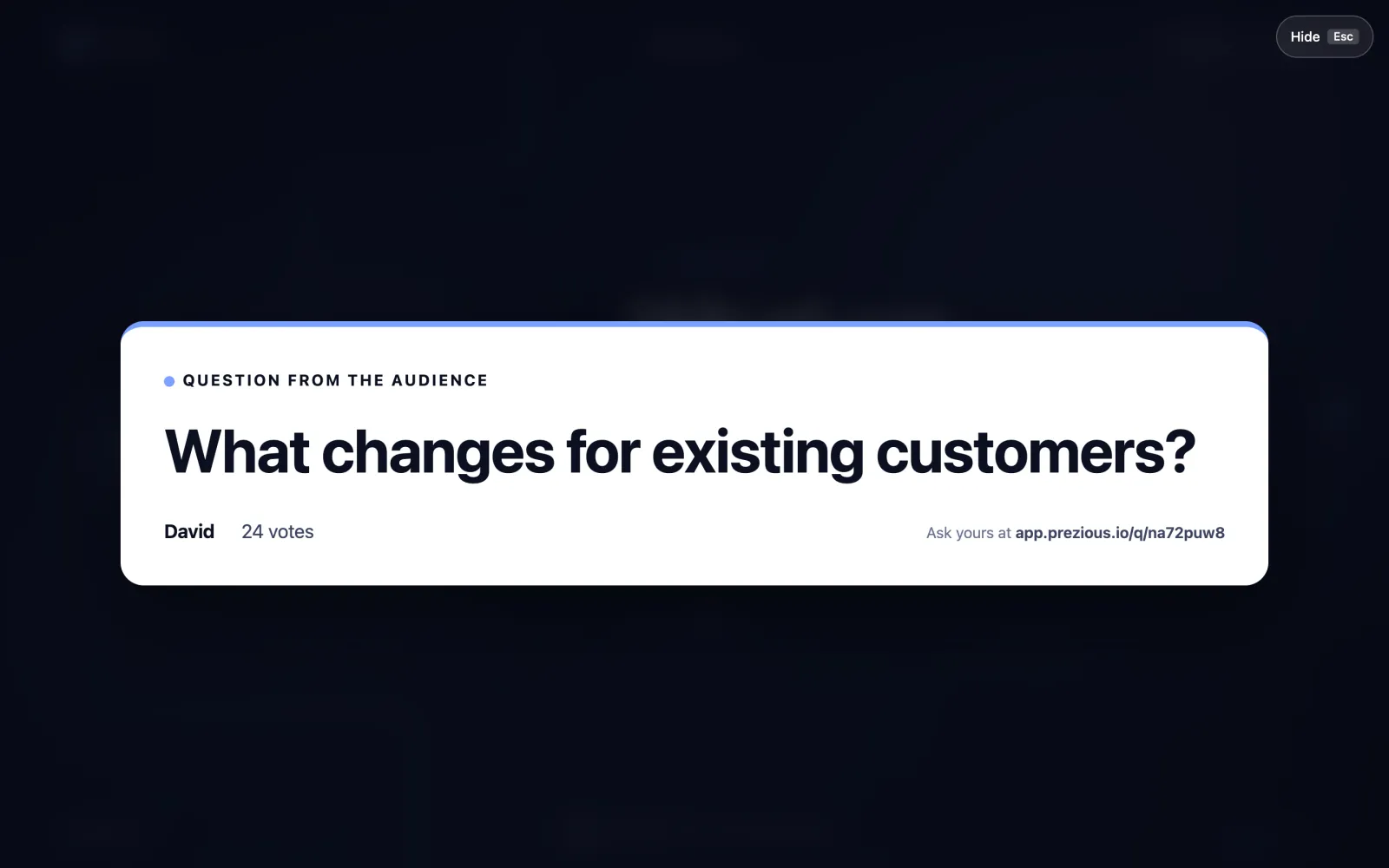
Every presentation gets its own QR code. The audience scans it and asks questions from their phones — no app to install.

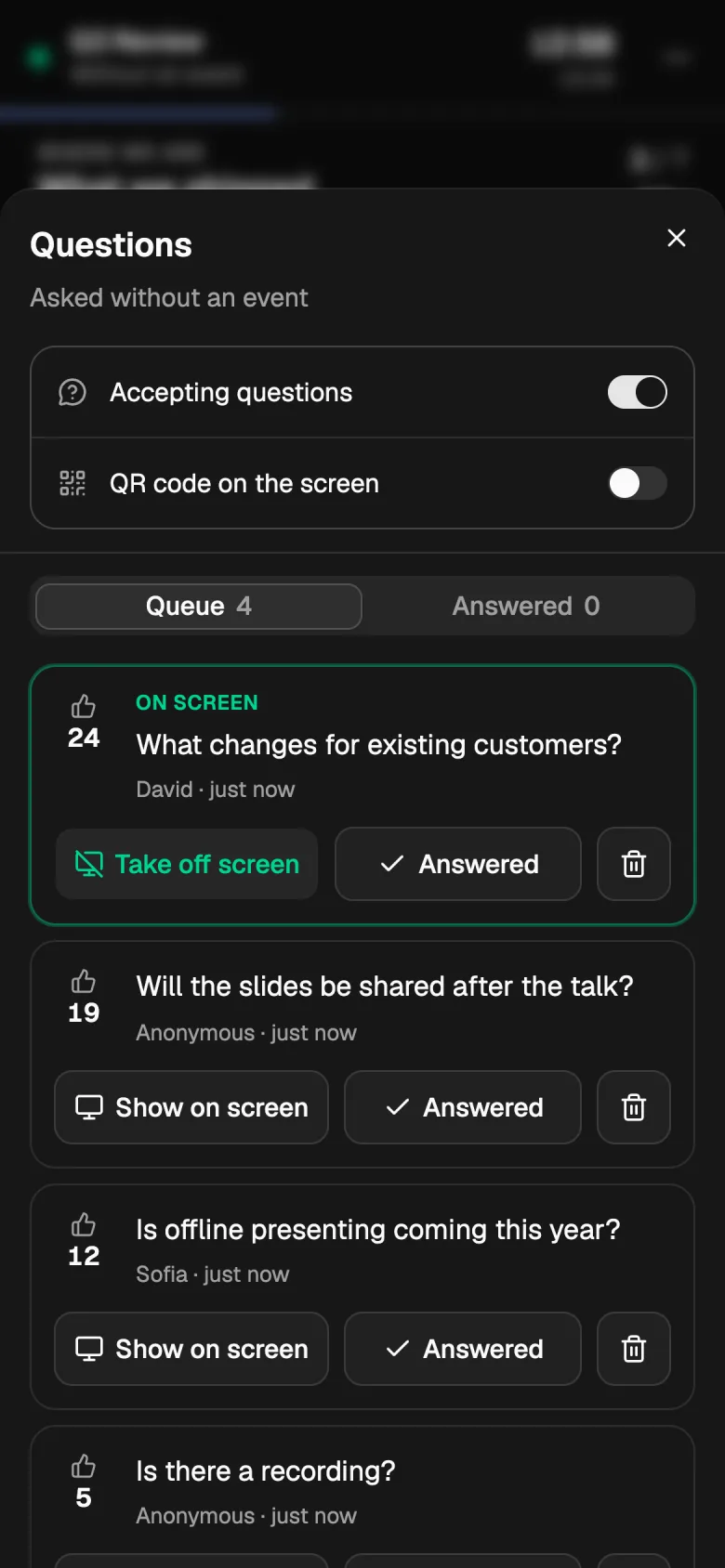
Everyone can upvote, so the questions the room cares about most rise to the top.

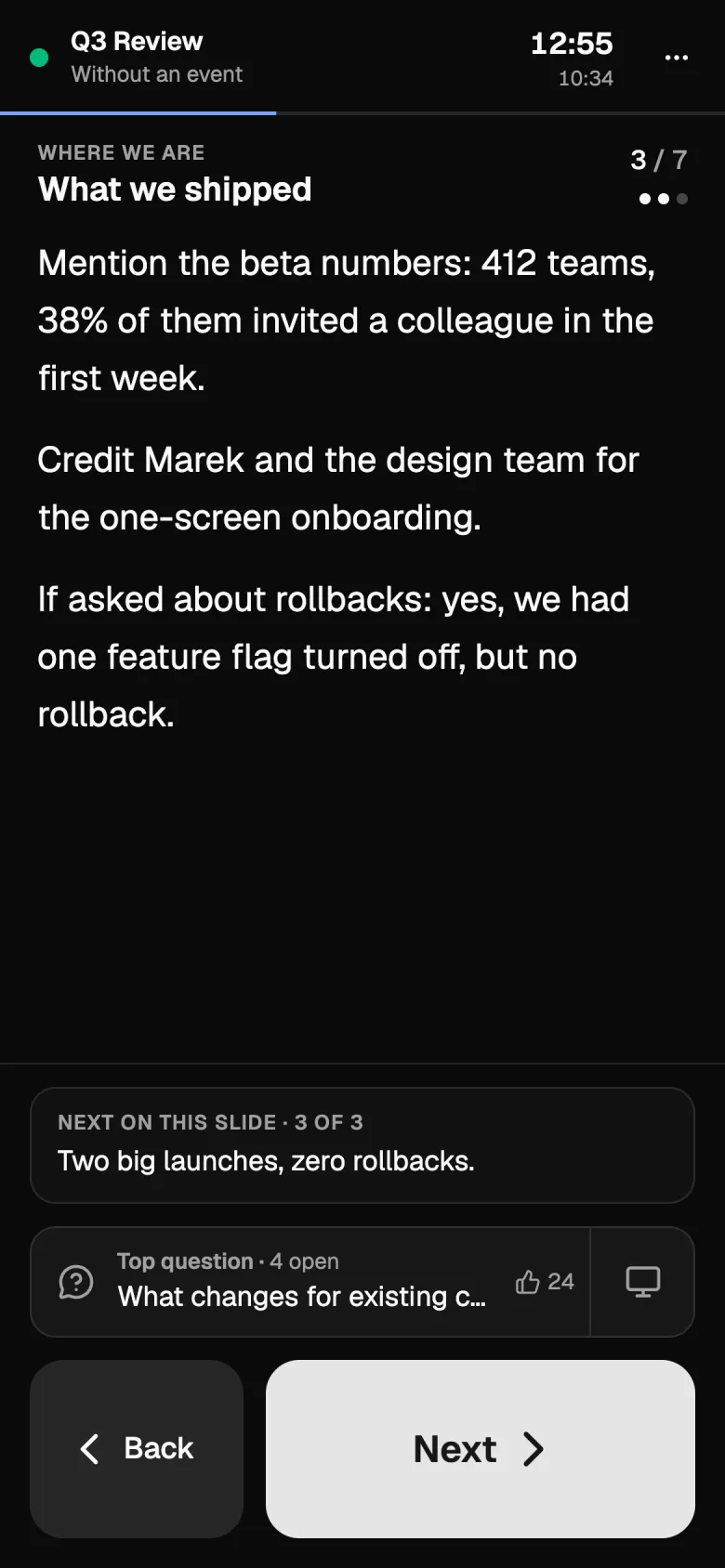
You get a moderation view to follow the queue, pick the next question and mark it answered.

01 / 03

On stage

Present from any browser.

Open the presenter full screen on any laptop. Space reveals the next part, the arrows move back and forth, M opens the contents and N the notes.

When the talk is over, share a public link to the deck — or keep it private to your workspace.

01 / 02

Your turn

Make your next talk Prezious.

Build the story. Let AI lend a hand. Present it beautifully — and let the room ask back.

This page is a Prezious deck in the Aurora style.

TOPIC 01 / 13
Spacenext partback / forward